zines - pre-press for home print
In exciting news I have found some people that are wanting to set up doujinshi events in the DFW area, which I am 100% in support of!!
This is a follow up post to my diy zine stapling post, for those who want a more in depth tutorial on printing a saddlestitch zine at home.
You can also view more resources from my friends and mentors, Love Love Hill: tutorials on tumblr. Old but still good.
Why self-print?
- No restriction on print-minimums
- No pressure to put a large financial investment in a print
- It’s fun!
First: Draw the comic/zine/whatever
I won’t go over what you should draw, because you can make a zine about anything.
Some zines I have made because I can:
- My OC Zine - Compilation of illustration and text about my ocs. I go over various fandom AU/tropes and what I think my OCs would be like. (48pgs?)
- OC x Sims Comic - Short comic of my OCs in the Sims 3 world. (16pgs)
- Quarter size zines from this post
Some technical things to keep in mind:
- I thumbnail/sketch my comics on 2-page spread on a letter-size sheet of paper. (Final zine is folded in half and stapled, so roughly 8.5x5.5). This allows you to see the overall flow of a comic.
- Each sheet has 4 pages (2 on each side).
Just for fun you should include a freetalk/author’s note page :)
Here's how my Indesign file ended up looking like for my Sims comic... which I'm using as the example project, lol sorry if I forgot to mention that (I also use Clip Studio which has actual manga/comic tools).
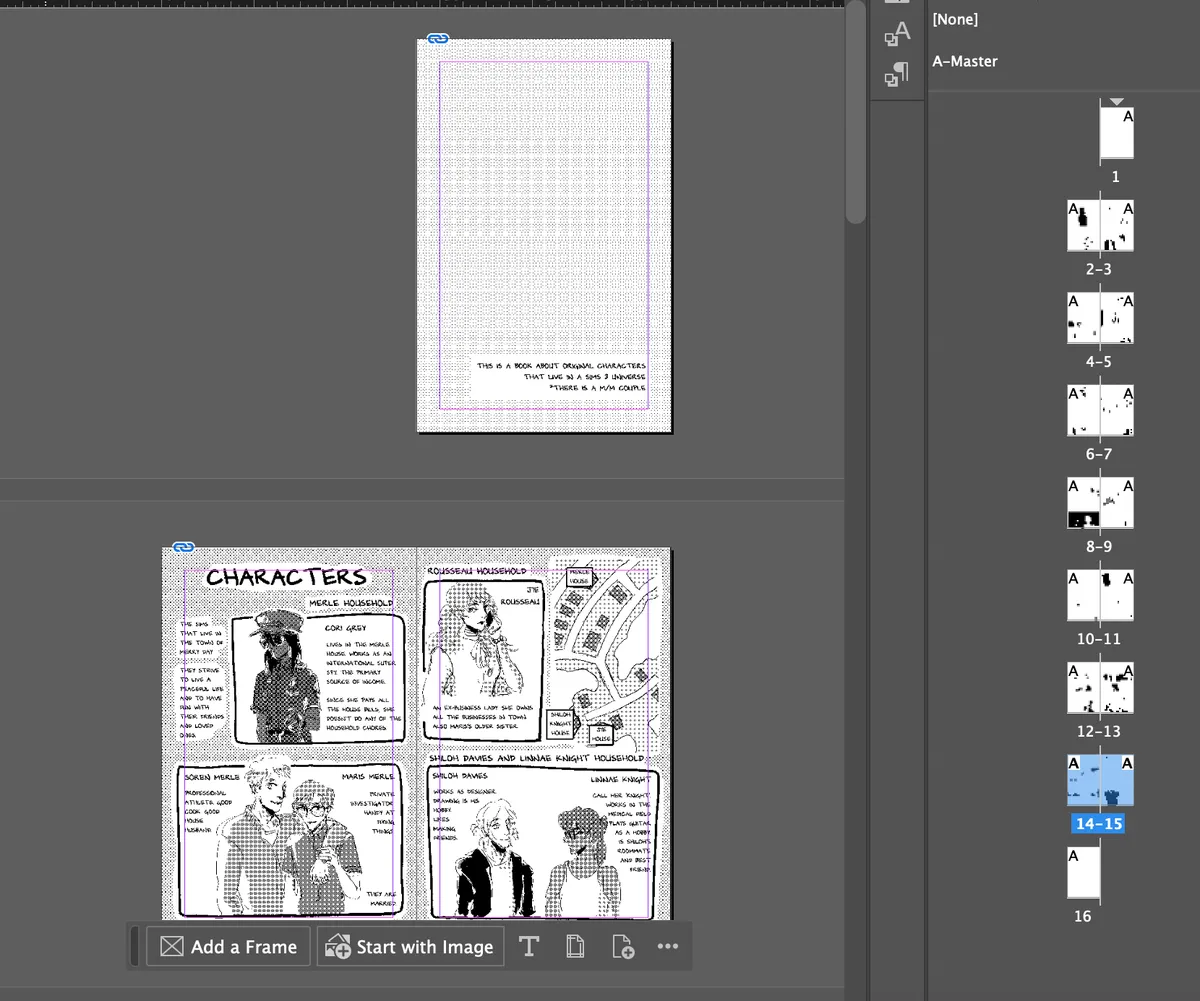
Pre-Press: Formatting comic pages
I print my zines in b&w, so I format all of my files as bitmapped images at 600dpi. This allows me to have a crisp, clean print as bitmapped images use pure black or white pixels.
This article explains bitmapping pretty well. Dirchansky also has a detailed post about bitmapping in krita.
After that, you need to arrange your files for booklet printing.
Arranging files for booklet printing
For this tutorial we are going 100% diy mode (also with analog modeling). There are multiple ways to do this via InDesign and Affinity PageLayout (I have not tried this). EDIT: Dirchansky linked this Zine Imposer here.
Interior pages need to be divisible by 4. So if your comic is only 22 pages you need to somehow add 2 more pages for print. (Freetalk!!!)
Since we are stapling a stack of paper together and folding it in half, we'll need to arrange the interior pages in a pattern for booklet printing.
The easiest way I have found to figure out this layout is to just make a physical dummy. Example: my Sims 3 Zine is a 16 page interior, which means I know I need to use 4 letter sheet papers to print it.
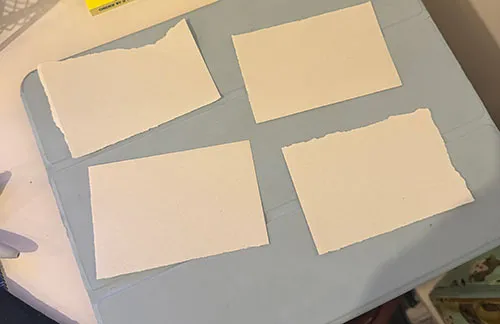
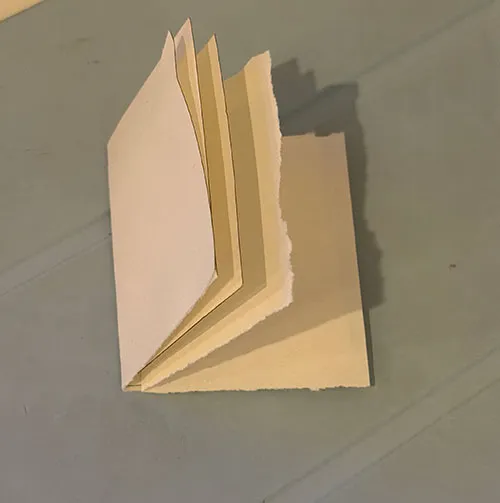
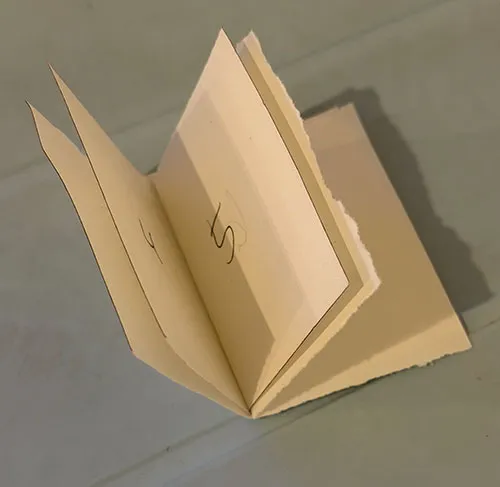
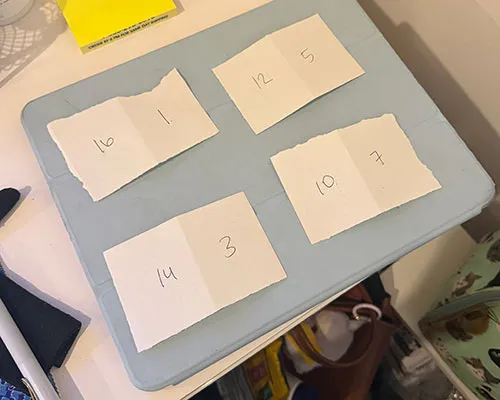
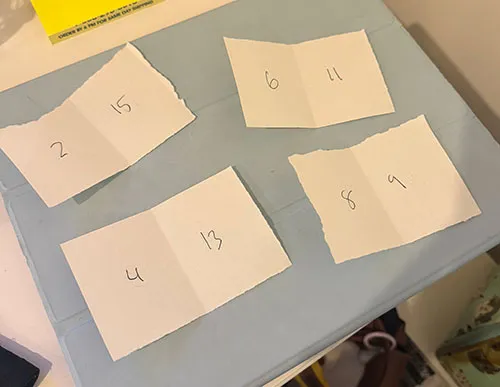
After that I’ll arrange my pages to print on letter paper. I did this one on Photoshop but you can use whatever image program you prefer.
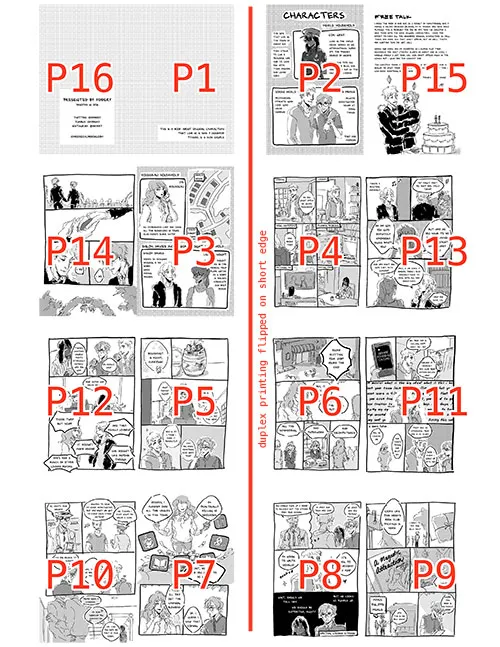
^ In case it's not clear, sheet 1 will print pages 16 & 1 with 2 & 15 on the other side (flipped on the short edge). Sheet 2 will print pages 14 & 3 with 4 & 13 on the other side. So on and so forth.
By the way, there is usually a setting that you can look into called "Booklet Printing".
Printing
You may need to alter this depending on your own printer settings. I use a Brother B&W Laser Printer at home that is able to do duplex printing. I personally prefer using a laser printer for interior pages as the black is MUCH crisper than an inkjet printer.
Settings:
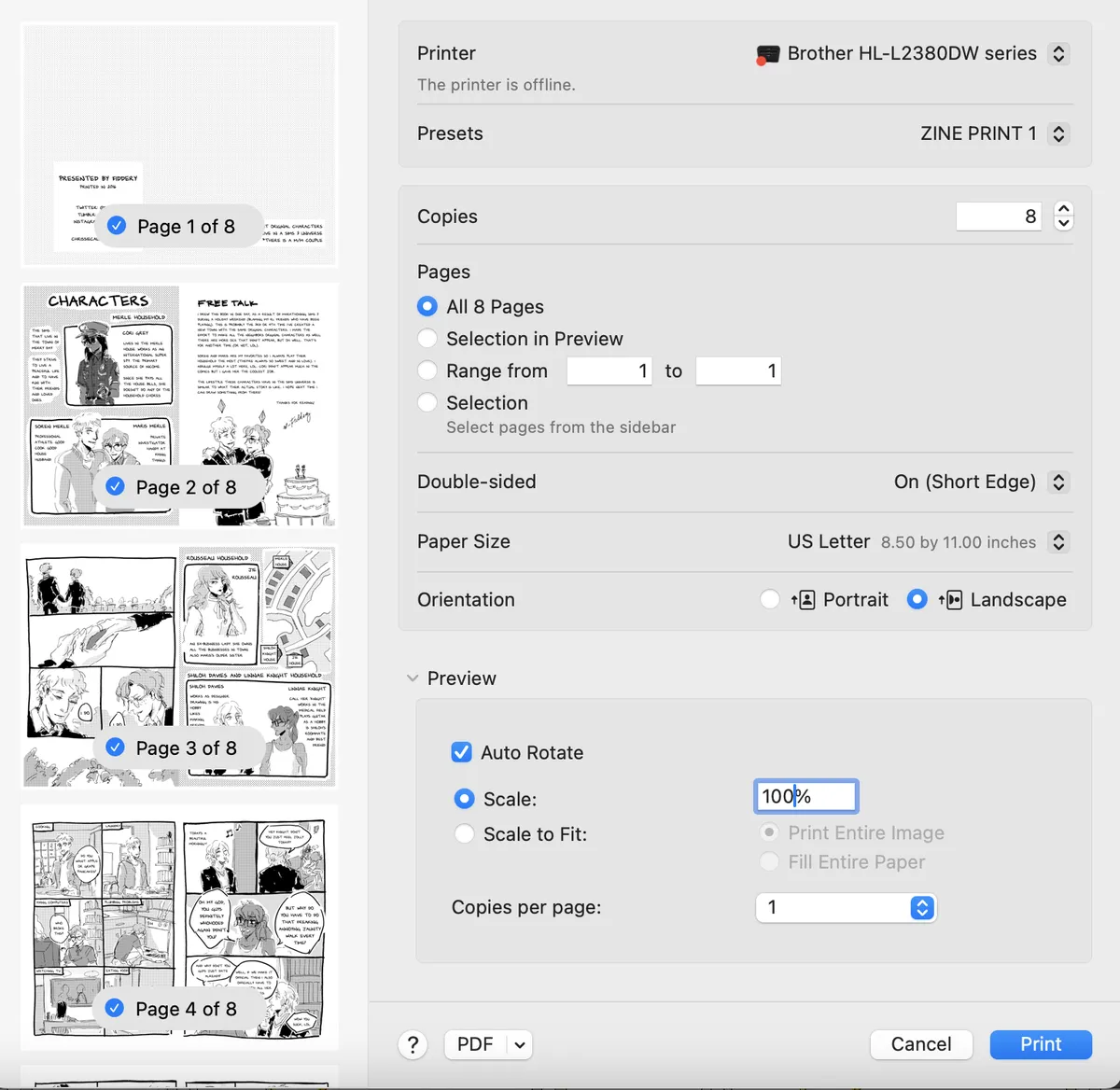
- Flip on Short Edge
- Scale: 100% (I don’t print full bleed so this will cut off some of the art, but I don’t draw anything outside the safe zone anyways).
Paper:
- I recommend using 28lb or 32lb paper as thinner papers can be more see-through.
If you don’t have a printer at home I recommend the library (probably need to print sfw only?) or a copy & print shop. My first run of the Sims 3 comic was something where I printed a master copy at home and then used a xerox copy machine.
Assembly
You can follow my recap here on assembling the zines and I also have an IG reel here.
Love Love Hill also has some stapler tips here if you don’t have the booklet one that I have.
Additional Love Love Hill tutorials. These use older programs but are still gooders!
- Preparing comic for print (process talk)
- [Tutorial] Compiling a print-ready file using InDesign (Part 1)
- [Tutorial] Compiling a print-ready file using InDesign (Part 2)
- [Tutorial] Compiling a print-ready file using InDesign CS3+ (Part 2)
- [process] Inks to print ready page
Edit: Dirchansky has shared this Zine Imposer
Also this: Zine Layout spread tool
Hope that helps! Please feel free to email me (hello@fiddery.com) or dm/ping me if you have any specific questions.
Let's make doujin events happen in tx!!